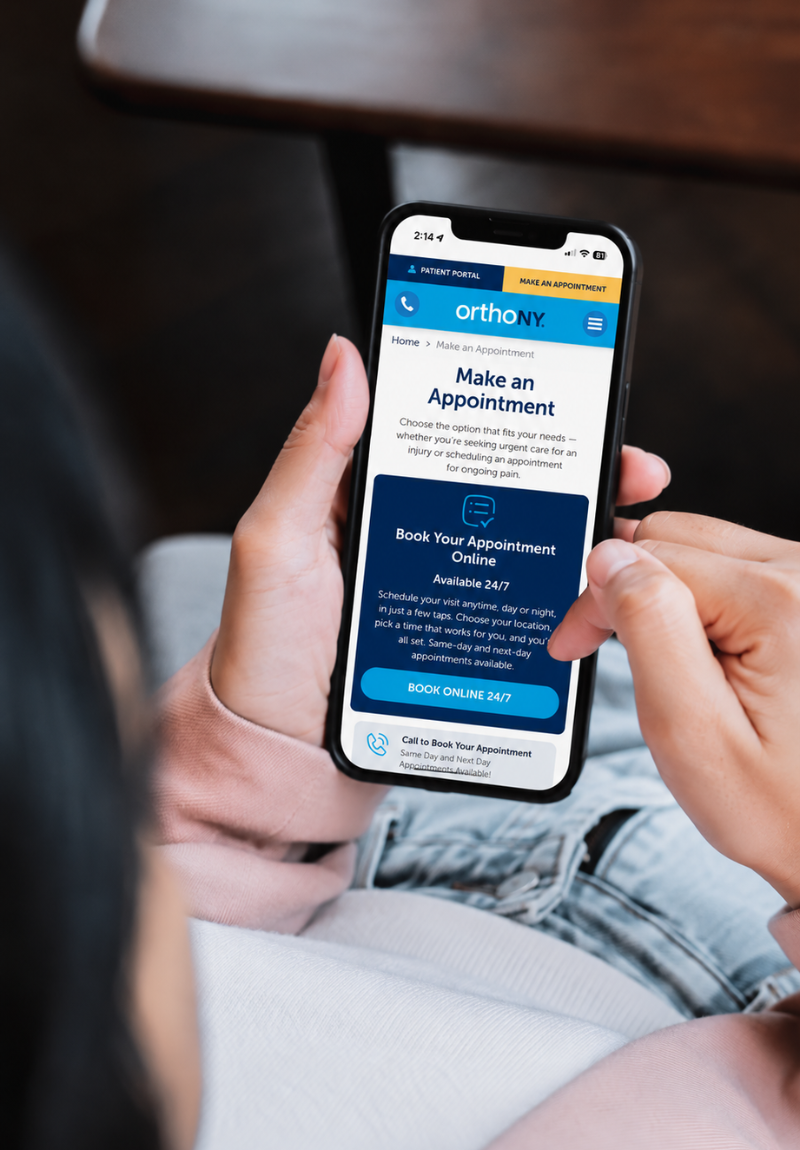
Finding time to call and schedule a doctor visit is not always easy, especially during a busy week. OrthoNY offers online scheduling that lets patients book an orthopedic appointment on their own time, day or night, without waiting for office hours or a callback to confirm a visit.
Why Online Scheduling Fits the Way Patients Book Care Today
More patients are choosing to manage their own healthcare decisions from start to finish, and scheduling is no exception. Online booking is available 24 hours a day, which means patients are not limited to calling during office hours or waiting for a return call to confirm a visit.
This approach also appeals to patients who already have a good sense of what they need. Whether that means ongoing pain that requires a specialist, or a sudden injury that needs prompt attention, online scheduling allows patients to evaluate their own situation and choose the option that fits, all without picking up the phone. For those who want to book instantly and select a specific provider, look for the “Book 24/7” button to self-schedule directly.
How to Schedule Your OrthoNY Appointment Online
Step 1: Visit the OrthoNY Website
Start at orthony.com. The site is accessible from both desktop and mobile, so scheduling can begin from a computer, tablet, or phone, whether at home, at work, or on the go.
Step 2: Click “Make an Appointment”
From the homepage, click the “Make an Appointment” button. This leads directly to the scheduling options, without needing to search through multiple pages to find the right place to begin.
Step 3: Answer a Few Questions
When patients click “Book 24/7,” they’ll answer a few quick questions to help find the right appointment. The first asks whether they are new to OrthoNY or have been seen by an OrthoNY provider or at an Injury Clinic before. Both new and existing patients can use the self-scheduling system.
Next, patients select the area of the body that needs care. The system then displays available appointments with both specialists and Injury Clinic providers in one place, making it easy to compare options based on condition, location, and availability. Patients can choose a specialist for ongoing pain, a chronic condition, or a more complex injury, or select an Injury Clinic appointment for same- or next-day care.
Workers’ compensation cases and second opinion visits cannot be scheduled online because they require additional information from the patient. For these appointments, patients should call or text OrthoNY directly so the team can help with scheduling.
Each path is designed to route patients to the provider, clinic, or location best suited to their specific need, so the appointment lines up with the type of care being sought from the very first step.
Step 4: Select a Date and Time
Once the appropriate path has been chosen, patients can browse real-time availability and select a date and time directly. Self-scheduling through “Book 24/7” confirms a slot instantly, with no need to wait for a callback.
Step 5: Confirm and Receive Details
After selecting a time, patients receive immediate confirmation of their appointment, along with reminders and any pre-visit instructions by text or email, depending on their preference.
Once the appointment is scheduled, patients will receive registration and insurance-related communications by text message and/or email. Our team will review insurance coverage and benefits, and if any questions or issues are identified, we’ll contact the patient directly to discuss their options. Self-pay options are also available when needed.
What Is Self-Scheduling?
Self-scheduling is a way for patients to book an appointment directly online, without calling or texting first. Look for the “Book 24/7” option on the Make an Appointment page or on a physician’s individual page to select a provider and choose a real-time slot right away.
Self-scheduling works for both Orthopedic Specialist Appointments and Injury Clinic visits, and it is available any time, day or night. Patients who would rather speak with someone can still call or text to request an appointment. Both options lead to the same quality of care, simply through whichever path fits a patient’s schedule and preference.
The Benefits of Booking Online
Scheduling online gives patients full control over their care, from choosing the right path to selecting a provider, location, and time that works for their schedule.
This is especially useful for patients who already know what they need, whether that means requesting a specific specialist for an ongoing issue or getting into an injury clinic quickly after a fall or sports injury. Online scheduling puts that decision directly in the patient’s hands.
Frequently Asked Questions
What is self-scheduling and how is it different from calling OrthoNY?
Self-scheduling lets patients book a real-time slot directly online through the “Book 24/7” option, with instant confirmation. Requesting an appointment by call or text still works too, but involves a callback to confirm the visit time.
Can I choose a specific doctor when I self-schedule?
Yes. Self-scheduling allows patients to book directly with a specific provider through “Book 24/7,” found on the Make an Appointment page or on that provider’s individual page.
What is the difference between Orthopedic Specialist Appointments and Injury Clinics?
“Orthopedic Specialist Appointments” are best for ongoing pain or a known condition, matching patients with the right specialist, across all OrthoNY locations. Injury Clinics are designed for acute injuries like fractures or torn ligaments, with same and next day availability in Albany and Clifton Park.
Can I still call to schedule instead of booking online?
Yes. Online scheduling is available for added convenience, but patients can still call to schedule an appointment directly if that is their preference.
Is online scheduling available for new patients?
Yes. Both new and existing patients can use OrthoNY online scheduling to request an appointment or save a spot at an Injury Clinic.